Using Announcements
The Toolkit Announcements plugin simply allows you to display important information at the top of all pages of your site to alert users to upcoming events, known problems, interesting changes, etc.
It is an optional plugin enabled on request. Once activated you will see Announcements menu options in the dashboard:

From the Announcements menu you can see all announcements and edit or delete them:

Announcement Settings

First add a title to your announcement, then choose whether it's for information, to display an error or warning, or to promote a success.
We recommend adding more details into the Content section to explain what the announcement is about. The site user may click on the announcement title to display this content information.
You can also add an optional link which will appear below the content. This is useful if the announcement is about an event and you want to link to the event booking page for example.
The Dismissible checkbox is checked by default, meaning the user can hide the announcement so it won't be displayed to that user again on the same device/browser. Unchecking this option means the announcement will always be displayed to every user on every page, so use this with caution.
Setting and Expiry date is a good way to prevent announcements from being displayed after they are no longer relevant, e.g. if the announcement is for an event you can set the Expiry to the day after the event.
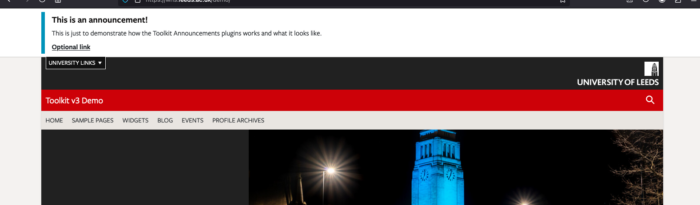
Once you have added and published your announcement it will appear at the very top of all pages on your website: